 CharaFold
Which character sheet tool fits your starting point?
First decide whether you need new artwork. A sheet maker arranges images you already have. A blank template gives you drawing spaces and labels. An AI generator creates proposed views or expressions that still need review. All three can produce a reference sheet, but they solve different jobs.
| Your starting point | Choose | What to expect |
|---|---|---|
| I already have the images. | Image sheet maker | Place and label accepted artwork. Export a combined sheet. It will not create a missing back view or fix a changing face. |
| I want to draw the views myself. | Blank PNG or SVG template | Draw or paste artwork in your own editor. Keep a layered working file when you need further edits. |
| I only have one image and need other angles. | Reference-image AI generator | Generate candidates from a visual reference. Review new faces, outfits and unseen details before accepting them. |
When does CharaFold fit?
Use the free CharaFold sheet maker when you have character artwork and want a labeled PNG without an account. Add JPG, PNG or WebP images, choose a 4-view turnaround, 6-expression layout or 8-panel reference, edit the labels and reorder the images. The export is 2400 × 1800 pixels. Choose Fit whole image when a full-body silhouette needs to stay visible.
Your images, name and design notes remain in the current browser tab. Download before closing it: the editing session is not saved. This is different from the invited AI workspace, whose uploaded references and generated files expire after 24 hours.
If you need an editable blank drawing layout, use the turnaround PNG/SVG or expression template. The online maker exports a flat PNG; it does not export a layered SVG containing your placed artwork.
CharaFold’s AI studio is a separate private beta. Invited accounts can request four body views, four expression portraits, or the combined eight-image set, at 3 credits per image. The four-expression AI preset is not the same as the six empty slots in the free template. Public credit purchases are not open; request beta access before planning a generation task here.
A real assembly example you can download.
The four-view Mara PNG below was exported from the CharaFold browser editor using existing front, three-quarter, side and back studio artwork. It demonstrates layout, labels and PNG export. It is not a newly generated set or a comparison of AI consistency.
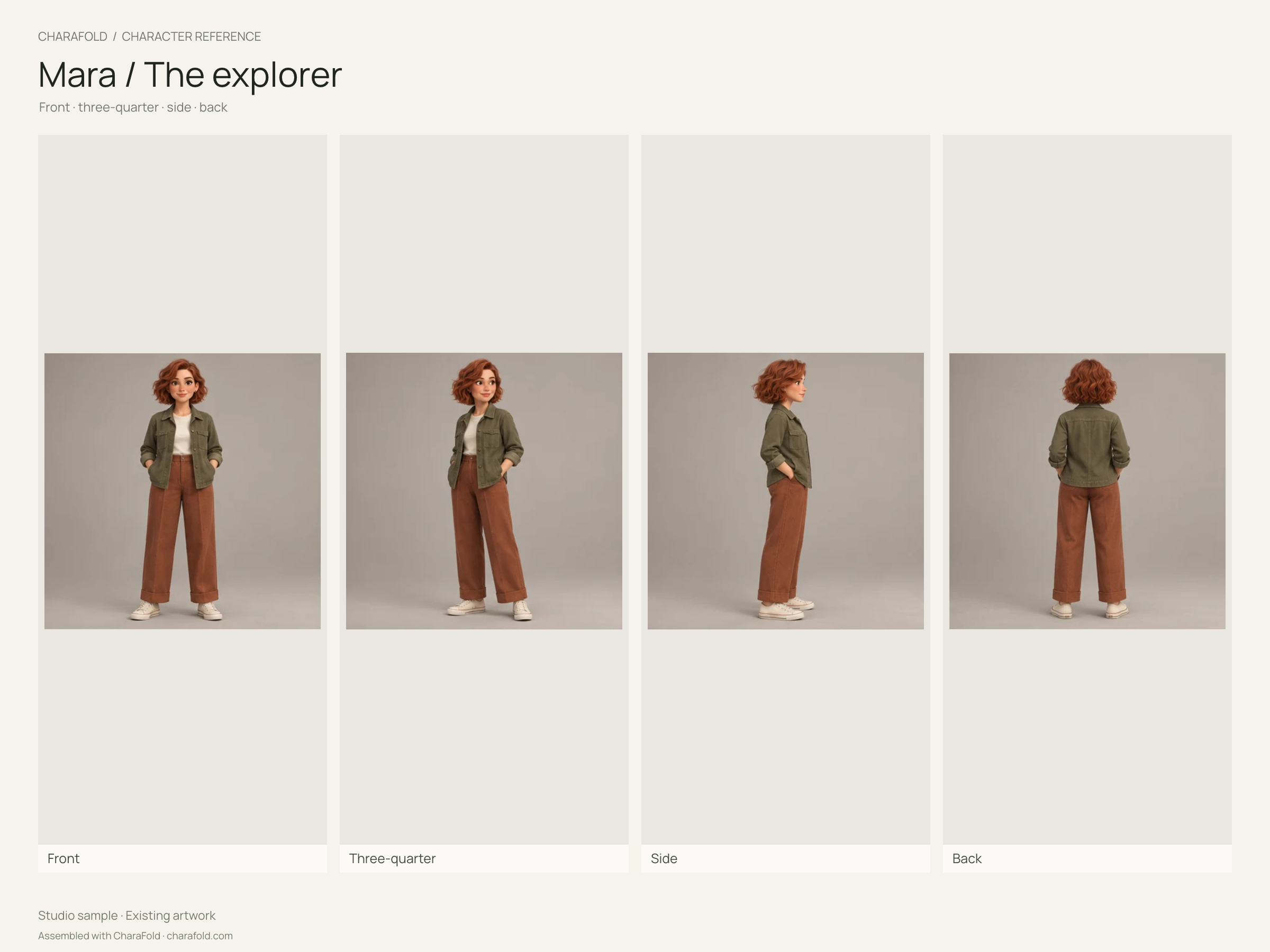
To reproduce the assembly, open that layout, choose Try the Mara studio sample, then download the PNG. Compare the supplied views for yourself. No new image generation, account or credits are needed.
Other workflows to consider.
Choose the input and output you need before comparing products. These examples are based on the linked official product descriptions checked on . We did not buy their plans or benchmark their generated images. Availability and terms may change.
AEFFA Reference Sheet Template ↗
Consider this when you want a drawing guide with adjustable head-height proportions and SVG or print output. Its public browser tool describes views, expression boxes and palette swatches. The site separately offers a paid template pack; that is different from its free browser tool.
Character Turnaround AI ↗
Consider this category when one source image needs new angle candidates. Its official page describes selected views, PNG sheets, ZIP export and single-panel regeneration. Generated rear details still need design review; its published workflow does not recover unseen geometry.
Opaxes Character Sheet ↗
Consider this when you want to supply several references. Its product page describes 1–5 reference photos and generated poses, angles and expressions on one sheet. Verify its current output, access and terms before uploading; those are published capabilities, not a hands-on result from this guide.
This guide is written by CharaFold Studio about a product we operate. The external links are source references, not affiliate links or claims that one product is universally best.
What should you check before choosing an AI generator?
- Reference input. Can you provide the approved design, or does it only accept text? If several images are supported, use references that agree rather than mixing different designs.
- Revision scope. Can you keep accepted views and replace one drifting image? Repeating a complete set may add cost and introduce changes elsewhere.
- Files you actually need. A combined PNG, individual images, a ZIP and a layered working file are different outputs. Confirm the required format before generating.
- Data handling. Read the provider’s upload, retention and sharing policy. Local image arrangement and remote AI generation have different data flows.
- Review and rights. Confirm you have permission to use the input, check the provider’s current terms and review the face, outfit, silhouette and hidden details. A consistency claim is not proof that a particular result is production-ready.
For a changing face or outfit, start with the consistency troubleshooting checklist. If you need a clearer brief, use the free reference prompt builder. Neither requires buying a generation plan.
Common questions before you start.
Can a free sheet maker generate a back view from one portrait?
The CharaFold free editor cannot. It places existing images into a layout. Generating an unseen back view needs a different tool or an artist, and the result may invent details that the portrait does not establish.
Will arranging images keep the face consistent?
It makes comparison easier, but it does not alter facial identity. Reject or correct a drifting portrait before using it as an approved reference.
Can I use a generated turnaround as an exact 3D blueprint?
Treat it as a concept reference unless the geometry, scale and projection have been checked. A three-quarter perspective view is not an orthographic view. Ask the modeler to resolve contradictory measurements.
How do I hand a sheet to an illustrator or comic artist?
Use approved views, readable labels and brief notes about fixed features. Mark unresolved details instead of silently treating a generated guess as the design. Include the source artwork when the recipient needs to inspect more detail than a flat sheet can show.