AI character
consistency checker.
Put the original and the generated view side by side. Record what matches, what needs a revision, and what the source never showed.
A consistency check compares a generated image with the original reference on eight visible points: face and identity, hair silhouette, outfit and colors, accessories, body proportions, requested framing, unseen design details and delivery files. This page is a manual worksheet and a side-by-side viewer. It does not score images automatically or guarantee that an AI model keeps a character identical.
Two images. One frame.
Load your original reference and one generated view, then drag the handle to compare the same area. Both files stay in this browser tab; nothing is uploaded.
Load both images to start the comparison.
Is your character reference ready to share?
Keep your original and generated views side by side. Record a decision for each check, then download the notes for your illustrator or next revision. You judge the images; this is not an automated consistency score.
Download a blank checklist ↓No image upload or account needed. Decisions stay on this page until you leave; download the notes to keep them.
Choose the next step.
One view needs work? Keep the other images and use a focused correction prompt. Already have the accepted artwork? Arrange it in a labeled reference sheet. Need new body angles? Create a four-view turnaround with 12 credits; a single-image refinement uses 3.
Why an AI character changes between views
A reference image shows one view under one set of conditions. It usually leaves the side profile, the rear hairstyle or the construction of a garment unseen. A new angle or an exaggerated expression asks the model to infer those parts, and an inference is not a design decision.
The useful question is not "is this consistent" but "which visible cue changed". Lighting, perspective and framing can also make a correct feature look different, so compare shape before you change the design. That is why this page asks for a decision on each point instead of a single score.
See where a real run went wrong.
Our recorded four-view turnaround test includes a side view with a framing miss. The original input, every first-pass output and the original PNG files are public, so you can judge the mismatch yourself before paying for a set.
Inspect the recorded four-view test →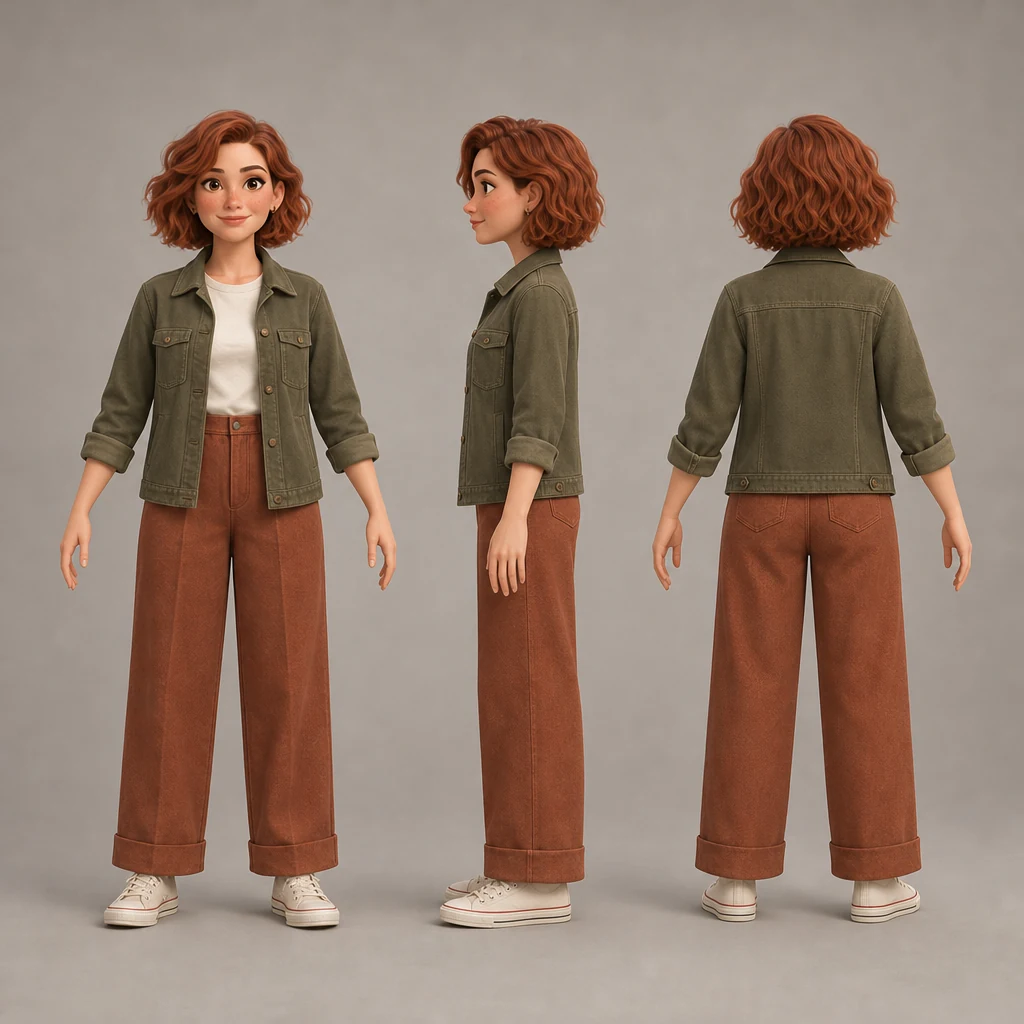
What a check can and cannot tell you
| Question | A manual check answers it | It cannot |
|---|---|---|
| Does this view show the same character? | Yes, point by point, if you have the original beside it. | Prove identity with a similarity score. |
| Is this the angle I requested? | Yes, by checking the visible pose and framing. | Correct a wrong angle for you. |
| Is the design approved? | Yes, once you mark details as decided or undecided. | Invent the rear design the source never showed. |
| Will the next generation be better? | No. It gives the next request a specific target. | Guarantee the model reproduces the character. |
Common questions
What is an AI character consistency checker?
A consistency checker compares a generated image with the original character reference on a fixed list of visible points: face and identity, hair silhouette, outfit and colors, accessories, body proportions, requested framing, unseen design details and delivery files. It records a human decision for each point. It does not measure or guarantee identity similarity.
Can a checker guarantee the same character every time?
No. The checker helps you find a mismatch and describe a specific correction. Whether a model reproduces the character still depends on the reference image, the requested angle and the model itself. CharaFold publishes a recorded four-view test that includes a framing miss, so the failure is visible rather than hidden.
Do I have to upload my images?
No. Both images are opened in this browser tab and never sent to CharaFold. The comparison and the worksheet run locally, and nothing is stored after you close the page. Download the review notes if you want to keep the decisions.
Which checks matter most?
Start with face and identity, then the requested framing. A correct face in the wrong angle is still a failed view, and a correct angle with a different face is a different character. Outfit, accessories and proportions come next, because they are the details another artist needs to redraw.
How do I fix a view that drifted?
Correct one feature at a time against the original reference, not against the drifting output. Describe the single change, keep the accepted images, and compare the new version before replacing anything. CharaFold charges 3 credits for one image or one single-image refinement.
Is the checker free?
Yes. The comparison tool and the eight-point worksheet are free, need no account and use no credits. Generating new views or refining an image inside CharaFold uses one-time credits.
Checked the set. What now?
Keep the views that pass and correct only the ones that failed. A single-image refinement costs 3 credits and leaves the accepted images in place. If you already have approved artwork, arrange it in a labeled sheet for free.