 CharaFold
Editable scenes and shots
Keep scene, action, framing and duration as separate decisions. Edit the plan before spending credits on images.
Turn your story into an editable storyboard with your character references and visual direction kept beside every shot. Control the framing. Revise a single image. Keep the sequence.
 Open sample project
A storyboard turns a story into concrete visual decisions: what is in frame, where a character stands, and how one shot leads to the next. CharaFold keeps those choices in an editable project instead of treating every image as an isolated prompt.
Start with a short scene. Give each shot an action and framing, then reuse your character reference and style notes when requesting an image. Keep the accepted frames, revise a specific shot and arrange the sequence until it reads clearly.
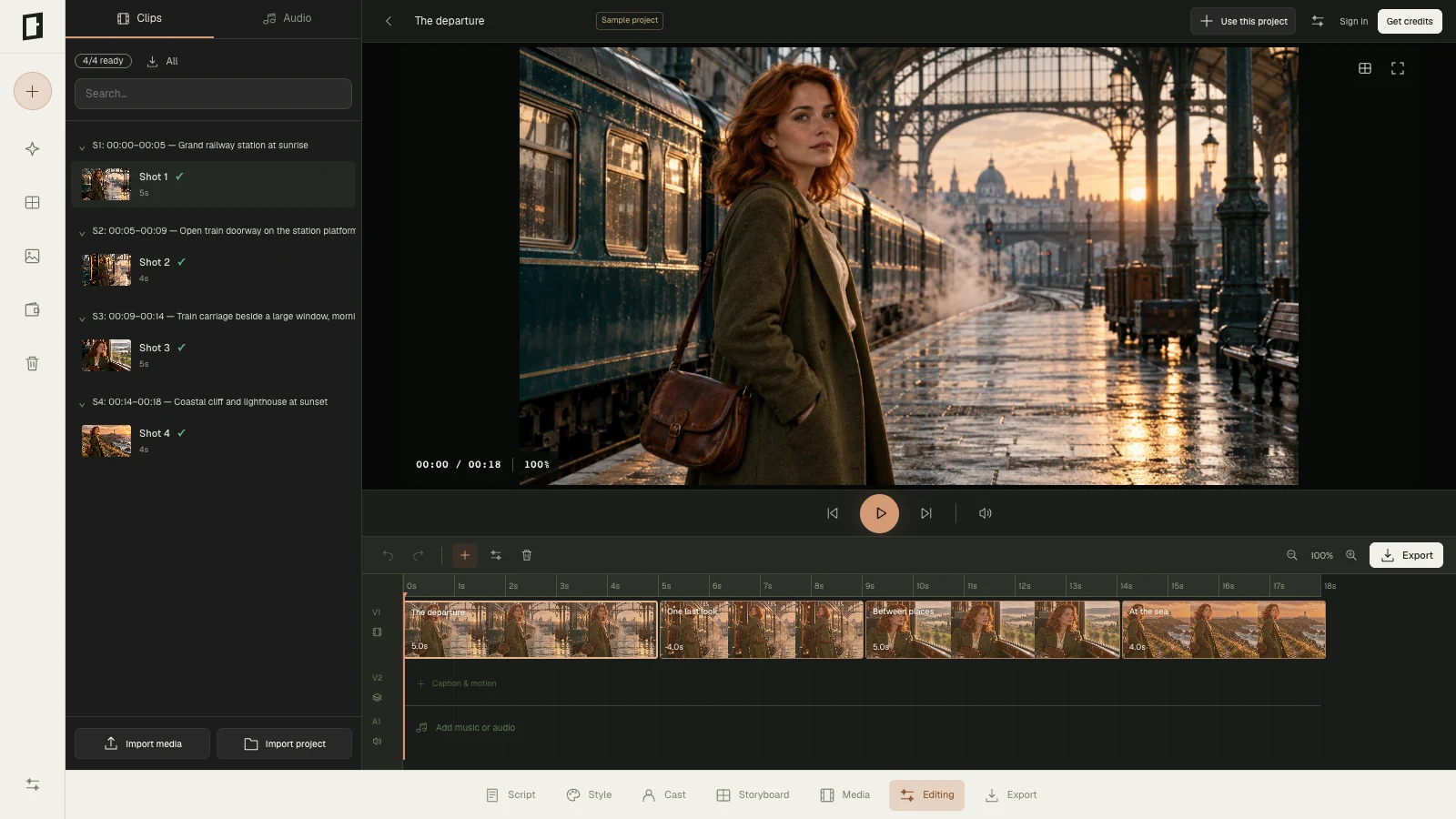
Character references guide the model; they do not guarantee identical faces or clothing. Review every output. Our recorded reference-image tests show actual first passes and a single-image correction, alongside the live sample project shown above.
Keep scene, action, framing and duration as separate decisions. Edit the plan before spending credits on images.
Use the same source image and defining visual notes throughout a project. Compare each new frame against that source.
Keep the shots you accept. Describe a specific correction, generate a new candidate and choose which version to use.
Order your frames, add your own media and take the storyboard and project files to the next stage of your work.
Write an idea or paste a script. Develop an editable shot plan manually, or request an AI draft for 1 credit.
Attach the reference and define the style notes reused for each request.
Check the total before generation. Each image uses 3 credits.
Revise individual shots, arrange the sequence and export your selected files.
It is a tool for making a sequence of visual panels that communicate planned shots. CharaFold combines an editable shot plan, shared character and style references, image generation, focused revisions and sequence arrangement.
Yes. Keep your story or script in the project, develop the scenes into shots and edit the plan before you generate images.
The editor image is a capture of CharaFold with an original sample project. It shows the working interface, rather than a measured character-consistency benchmark. The recorded character-reference tests contain their own inspectable source and output files.
AI can reinterpret faces, clothes and proportions. Reusing a reference helps anchor the request, but review and corrections are still part of the process.
CharaFold does not generate video. You can arrange storyboard images and your uploaded video clips in the media workspace, then export the sequence and project. Video export uses a supported browser format; this edits supplied media rather than generating new video footage.
Four generated images use 12 credits. Each additional image revision uses 3 credits. A credit-pack purchase is separate from image requests; see the pricing page for one-time options.